
Boost Workplace Safety with Security Cameras: Workplace Security Camera Setup Tips

When you run a small or medium-sized business, keeping your workplace safe is a top priority. Security cameras are one of the best tools you can use to protect your property, employees, and customers. They act as a deterrent to theft, vandalism, and other unwanted activities. Plus, they give you peace of mind knowing you can monitor your business anytime, anywhere.
In this post, I’ll share practical tips on how to set up security cameras effectively in your workplace. I’ll also explain the benefits, costs, and how to get started with professional help. Let’s dive in and make your business a safer place.
Why Security Cameras Are Essential for Your Workplace
Security cameras do more than just record video. They create a safer environment by:
Deterring crime: Visible cameras discourage thieves and vandals from targeting your business.
Monitoring employee safety: Cameras help you keep an eye on workplace hazards and ensure employees follow safety protocols.
Providing evidence: If an incident occurs, recorded footage can be crucial for investigations or insurance claims.
Improving customer confidence: Customers feel safer when they see your business is protected.
For example, a retail store in Marion, VA, installed cameras near entrances and cash registers. This simple step reduced shoplifting incidents by 40% within six months. It also helped resolve a few disputes quickly by reviewing footage.
Security cameras are a smart investment that pays off in many ways. But to get the most out of them, you need to set them up correctly.
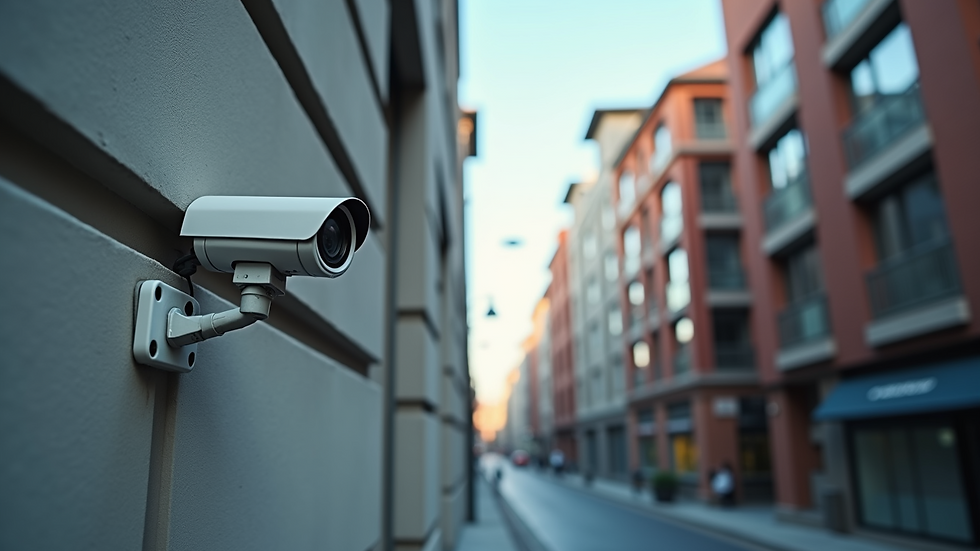
Workplace Security Camera Setup Tips You Can Use Today
Setting up security cameras isn’t just about placing them anywhere. You want to cover key areas without wasting resources. Here are some tips to help you get started:
1. Identify High-Risk Areas
Look around your business and list places that need monitoring. Common spots include:
Entrances and exits
Cash registers or payment counters
Storage rooms and inventory areas
Parking lots and loading docks
Hallways and stairwells
Focus on areas where theft, accidents, or unauthorized access are most likely.
2. Choose the Right Camera Types
There are different types of cameras for different needs:
Dome cameras: Great for indoor use and blend in well.
Bullet cameras: Ideal for outdoor use with long-range views.
PTZ cameras: Can pan, tilt, and zoom to cover large areas.
Hidden cameras: Useful for discreet monitoring.
Match the camera type to the location and purpose.
3. Optimize Camera Placement
Position cameras to avoid blind spots and glare from lights or windows. Mount them high enough to prevent tampering but low enough for clear images. Angles matter - aim for a wide view that captures faces and actions clearly.
4. Use Adequate Lighting
Good lighting improves video quality. If an area is dark, consider adding lights or using cameras with night vision.
5. Plan Your Network and Storage
Decide if you want wired or wireless cameras. Wired systems are more reliable but may require professional installation. Wireless cameras are easier to set up but can face interference.
Also, plan how you will store footage. Cloud storage offers easy access but may have ongoing fees. Local storage saves costs but requires secure hardware.
6. Regularly Maintain Your System
Check cameras periodically to clean lenses, update software, and ensure everything works smoothly. A well-maintained system lasts longer and performs better.
By following these tips, you’ll create a security camera setup that truly protects your business.

How much does it cost to professionally install security cameras?
Understanding the cost of professional installation helps you budget wisely. Prices vary depending on:
Number of cameras needed
Type and quality of cameras
Complexity of installation (wiring, mounting height, etc.)
Storage and monitoring options
On average, small businesses in Marion and Abingdon, VA, can expect to pay between $1,000 and $4,000 for a complete setup. This includes equipment and labor.
Professional installers bring expertise that ensures your cameras are placed optimally and integrated with your existing systems. They also handle permits and compliance with local regulations.
Investing in professional business security camera installation means you get a reliable system that works from day one. It’s a smart choice if you want to avoid headaches and maximize your security.
How Security Cameras Integrate with Your Overall IT Strategy
Security cameras are part of your broader technology ecosystem. When integrated well, they enhance your business operations:
Remote monitoring: Access live feeds on your phone or computer anytime.
Alerts and notifications: Get instant alerts if suspicious activity is detected.
Data analytics: Some systems analyze foot traffic or employee behavior to improve efficiency.
Cybersecurity: Secure your camera network to prevent hacking or data breaches.
Working with an IT partner who understands your business needs can help you choose the right cameras and connect them to your network safely. This way, you protect not only your physical assets but also your digital infrastructure.
Taking the Next Step to Secure Your Business
Now that you know the benefits and setup tips, it’s time to act. A well-planned security camera system can transform your workplace safety and give you peace of mind.
If you want expert advice or professional installation, I’m here to help. Together, we can design a security solution tailored to your business in Marion or Abingdon, VA.
📅 Book your time here:
🔐 You can also check your security standing anytime with CyberScore:



Comments